

Equipment · ComparaUno GUIDE
Router, modem, ONT and set-top box: the differences
Learn what each device does and interpret photographs and specifications without confusing features.
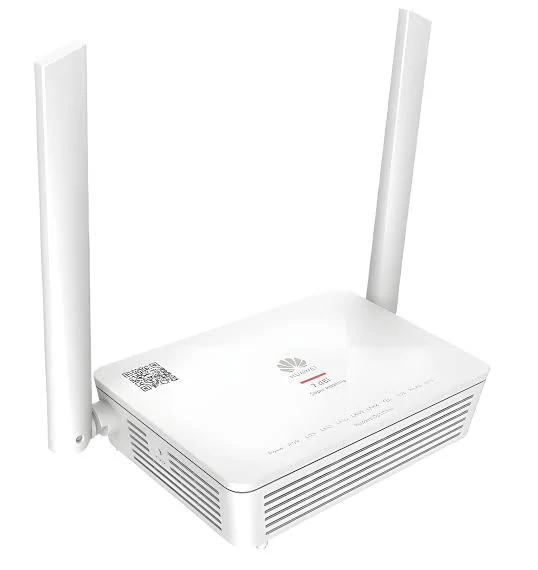
The router organises your home network
A router connects home devices and directs traffic between the home network and Internet. It may provide Wi-Fi and Ethernet. Some devices combine functions in one case, so appearance alone does not identify technology.
The white Huawei router in ComparaUno's supplied photos has two external antennas. That does not confirm model, Wi-Fi version, port speed or ONT functionality. Exact identification needs a technical label or authorised inventory.
Modems and ONTs connect different technologies
In cable installations, a modem adapts the provider's network connection for the home network. With fibre, an ONT terminates the optical link. The provider may use separate devices or an integrated router.
Not every Wi-Fi connection is fibre, and not every white device is an ONT. Ask which technology reaches your address. Do not handle fibre connectors or replace provider equipment without instructions.
Extenders and mesh distribute the signal
An extender broadens wireless coverage subject to its link to the router. Mesh uses multiple nodes to distribute access. Review placement, compatibility and how they interconnect.
These devices do not change the subscribed plan. They may help with wall-related home coverage limitations, but an extender does not fix an external connection problem.
Set-top boxes, TV boxes and HDMI devices
A set-top box accesses TV service and features. A TV box may run an interface and compatible apps; a small HDMI device connects to a TV, but function and content depend on the model.
VTR documents d-BOX Smart features such as TV guide, voice control and apps. The supplied remote and dongle photograph does not establish that model. A three-item composition does not mean every plan includes all three.
A remote control does not establish a subscription
Remote controls may have app shortcuts or service functions. Those buttons do not prove an included subscription. Compatibility, subscription and activation remain separate conditions.
When comparing, request exact model, device count, extra charges, required ports and functions compatible with your TV. Images in the equipment portal are labelled as reference images. Explore the Claro y VTR and confirm what applies to your address's quote.
Sources and editorial scope
ComparaUno editorial team · Updated on 9 October 2026. Guidance without attributing equipment or benefits to an unverified plan.